How to play KwizJam
KwizJam works three ways. Pick the one that matches how you are playing, then follow its step-by-step guide. The game styles and scoring below work in all three.
Choose how you are playing
Single-Home
Everyone is in the same place. One host, everyone joins on their phone, and an optional TV shows the game. Up to 30 players.
Multi-Home
Several households in one game. Each house has one phone and one screen (a TV or a computer). Up to 10 houses.
Anywhere
Friends on their own phones, wherever they are. No TV needed. Up to 10 people.
You choose in the lobby, in the Who's playing? menu. Single-Home is the default.
Game styles (optional)
The Game style menu in the lobby has three choices: Standard (the classic game), Fun mode and Survivor.
Fun mode adds power-ups, reactions and a comeback boost for last place:
- A streak of 3 correct answers earns a choice: Steal 100 points from the player just above you, or Double your next correct answer.
- A streak of 6 earns a choice: Shield (blocks the next steal against you) or Big steal (200 points from the leader). Longer streaks repeat the pattern.
- If you pick nothing, you get the harmless option automatically. If there is nobody to steal from, you get Double (or Shield) instead.
- The player in last place gets a 100 point comeback boost for a correct answer.
- Everyone can send emoji reactions that float up the TV (or on the phones in Anywhere), and the podium gives each of the top three a fun title.
Survivor mode
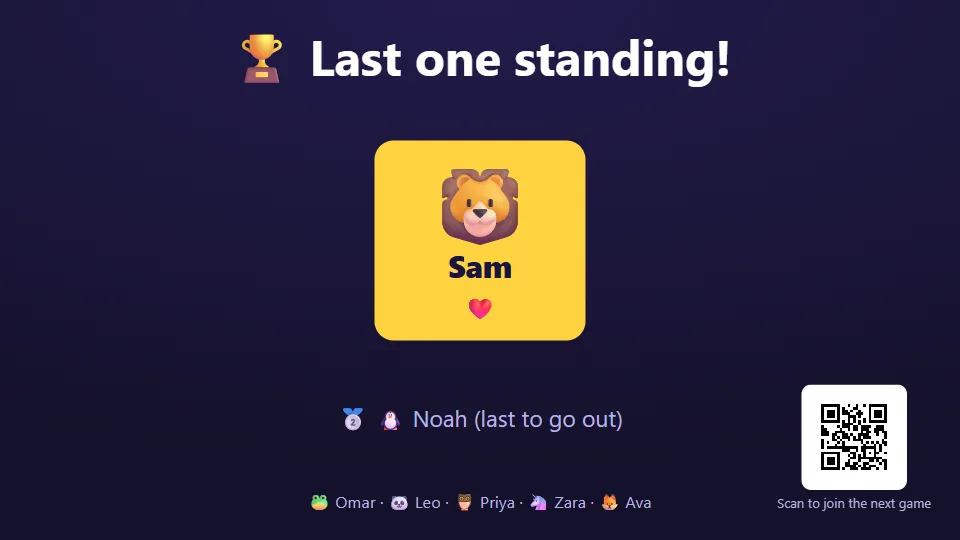
Pick Survivor in the Game style menu for a last-one-standing quiz. There are no scores.
- The host chooses how many spare lives everyone gets, from 0 to 5. The default is 2.
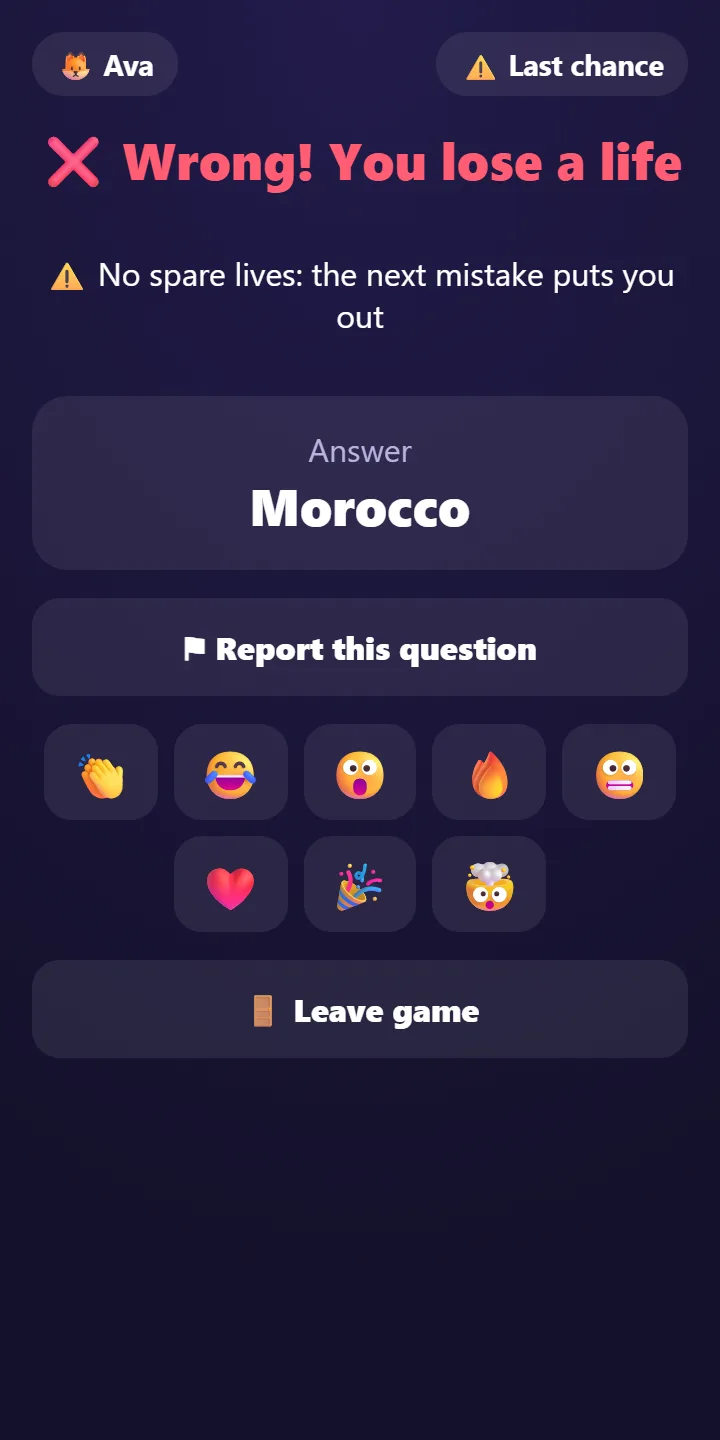
- A wrong answer, or no answer, uses up a spare life. Get one wrong with none left and you are out for good. With 0 spare lives, your first mistake puts you out.
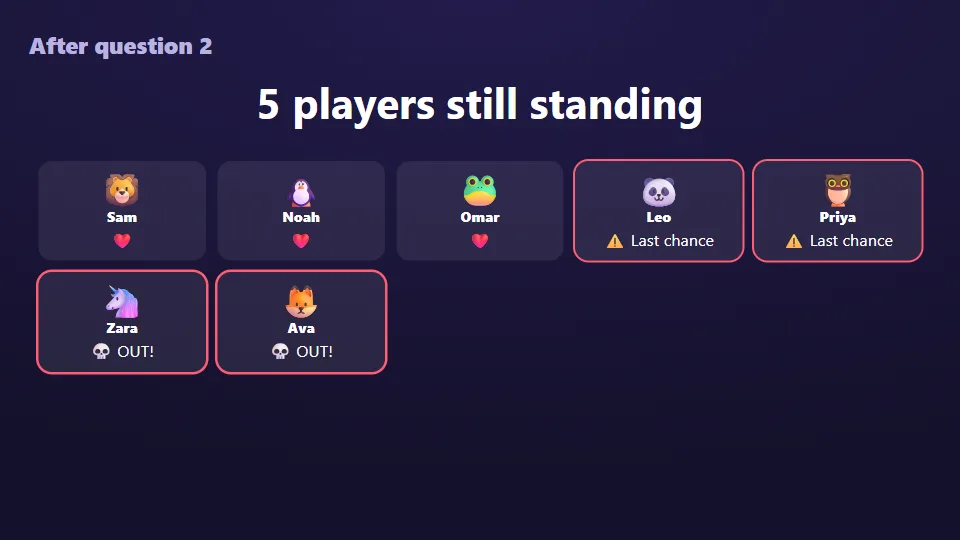
- After every question the TV (or the phones in Anywhere) shows who is still in and who has gone out.
- The game carries on until one player is left, and that player wins.
- If a question would knock out everyone still in, nobody goes out that round and the game carries on.
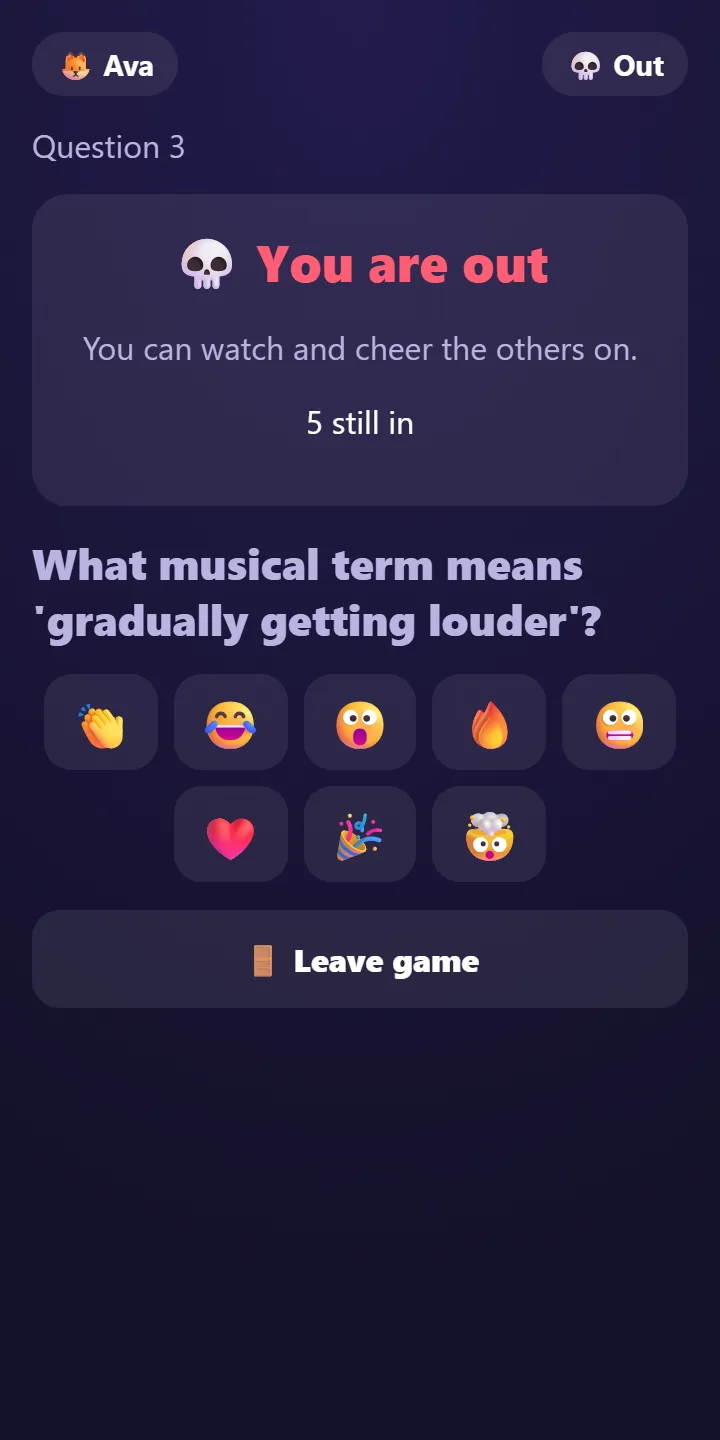
- Players who are out can still watch and send reactions. Anyone who joins after the game has started can watch too.
- You need at least 2 players (in Multi-Home, 2 houses with a screen connected).
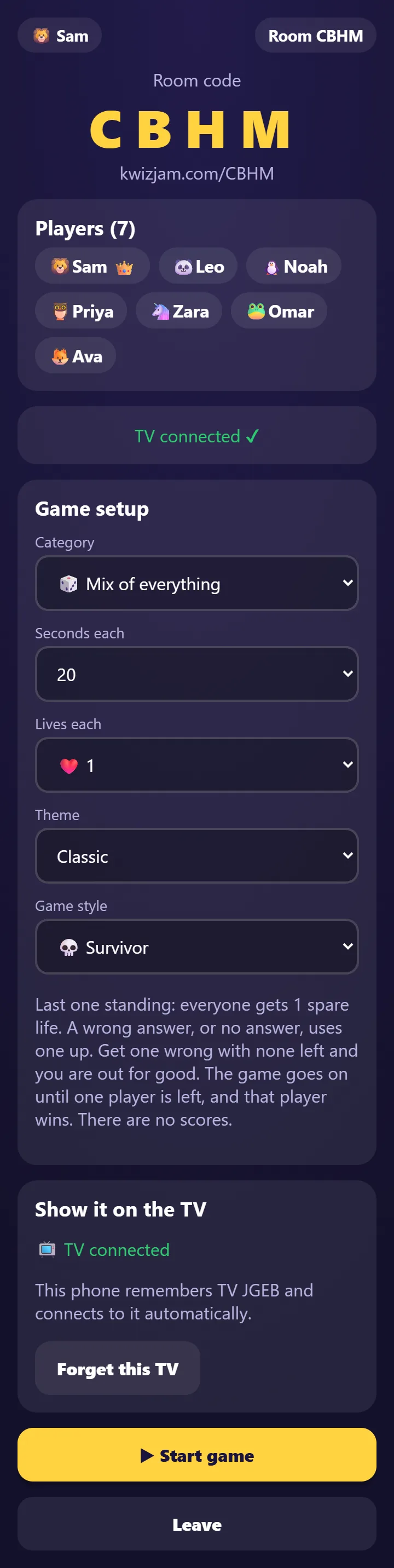
- 1Game style: choose Survivor
- 2Lives each: 0 to 5 spare lives (0 means out on your first mistake)
Scoring (Standard and Fun mode)
- A correct answer scores 250 to 500 points, depending on speed.
- Consecutive correct answers earn a streak bonus of up to 500 points.
- Wrong or missing answers score nothing. There are no penalties in the classic game. In Fun mode, a steal by another player can take some of your points.
- The final podium includes awards such as Fastest and Best streak.
Problems and tips
- Phone went to sleep: the seat is kept and rejoins automatically on unlock.
- Closed the page: reopen the play page and tap Rejoin, as long as the room is still open.
- End a game early: the host has an End game now button.
- Play again: the host taps Play again and everyone is already in.
- Up to 30 players in Single-Home, 10 houses in Multi-Home and 10 people in Anywhere.
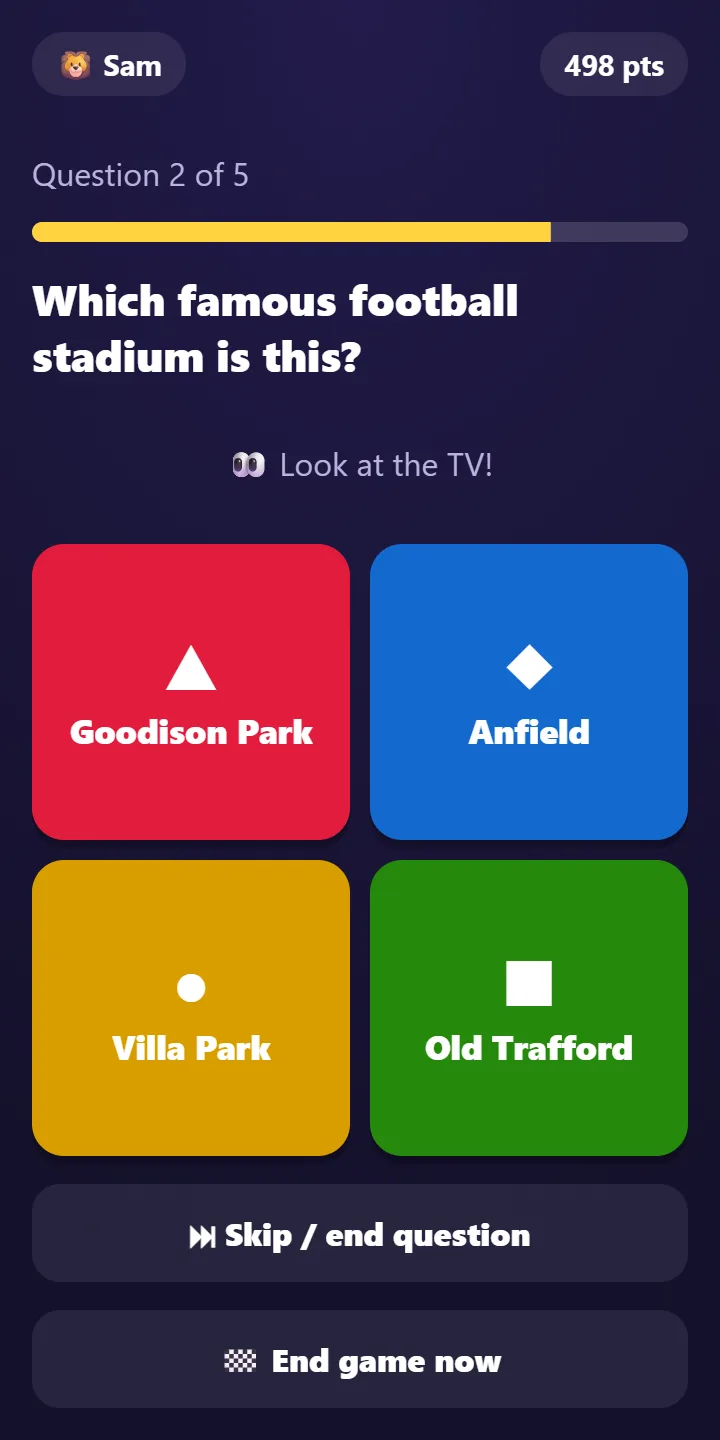
- 1Skip / end question: show the answer now
- 2End the whole game now
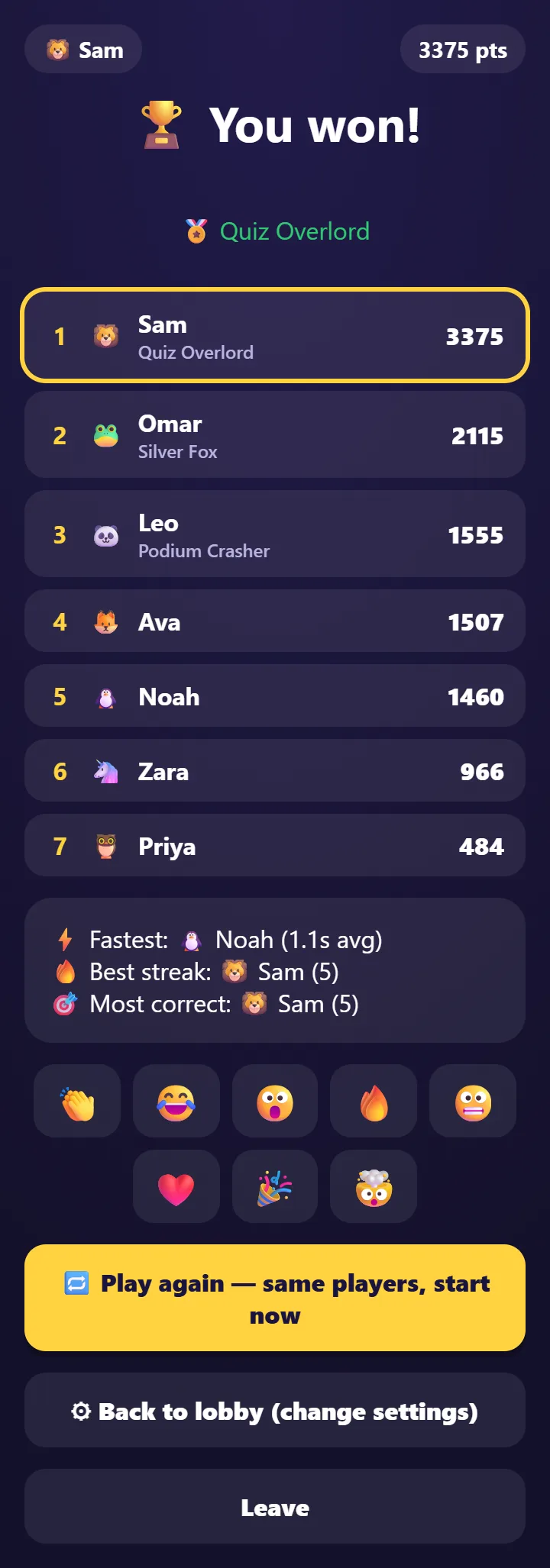
- 1Play again: same players, the game starts straight away
Frequently asked questions
Which mode should I choose?
Single-Home if everyone is in the same place. Multi-Home if several households want to play together, each with a screen. Anywhere if friends are on their own phones in different places and nobody needs a TV.
Does it work on any phone?
Any phone with a modern web browser.
Does the TV have to be a smart TV?
No. It needs a web browser: a smart TV, console, streaming stick or a laptop connected by HDMI all work. In Multi-Home any computer screen works too.
Can I report a wrong question?
Yes. Tap Report this question after the answer is revealed.