How to play across several homes (Multi-Home)
Multi-Home puts several households in the same game. Each house has one phone for answers and one screen (a TV or a computer) showing the questions, and everyone sees the same scores.
What Multi-Home is
One person hosts and sends an invite to the other households. Each house joins as a team with its own team name, plays together on a single phone, and watches the game on its own screen. It works for families split across the country, friends in different towns, or a street quiz where every house stays in its own living room.
- Up to 10 houses in one game.
- One phone per house answers for the whole team, and everyone in the house can shout out ideas.
- All the usual game styles work: Standard, Fun mode and Survivor.
- Free, with no accounts and nothing to install.
What each house needs
Every house needs one phone and one screen. The screen only has to open a web page, so it can be any of these:
- A smart TV or games console with a web browser.
- A laptop or desktop computer, using its own monitor.
- A laptop or tablet screen-shared or cast to the TV, or connected to it with an HDMI cable.
The house phone joins the game and answers. The screen is only for watching: the questions, the pictures, the countdown and the leaderboard. If your house video-calls the others as well, use a different device for the call, such as a tablet or laptop, because the phone is busy answering.
The host: set it up and invite the houses
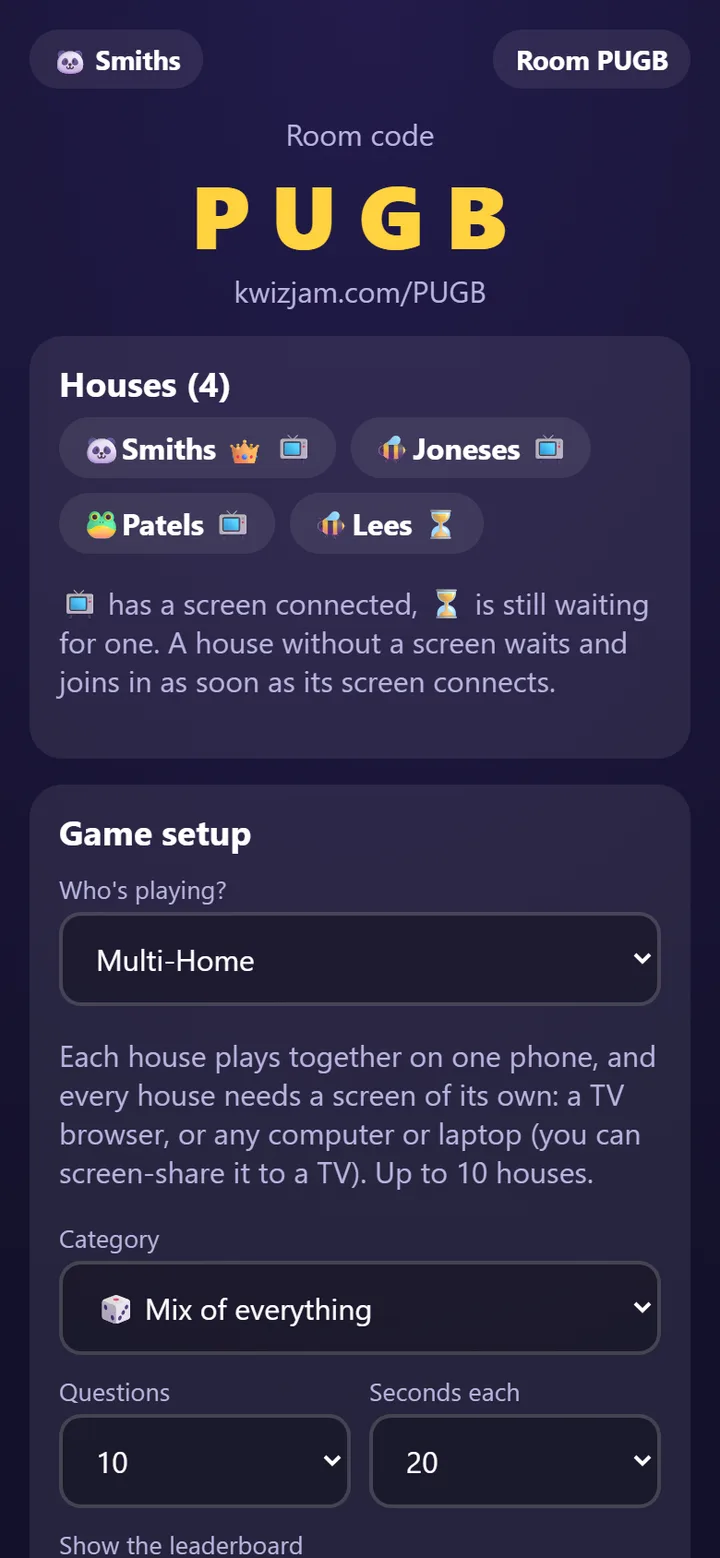
- Open kwizjam.com/play on your phone, tap Host a new game, and choose Multi-Home in the Who's playing? menu.
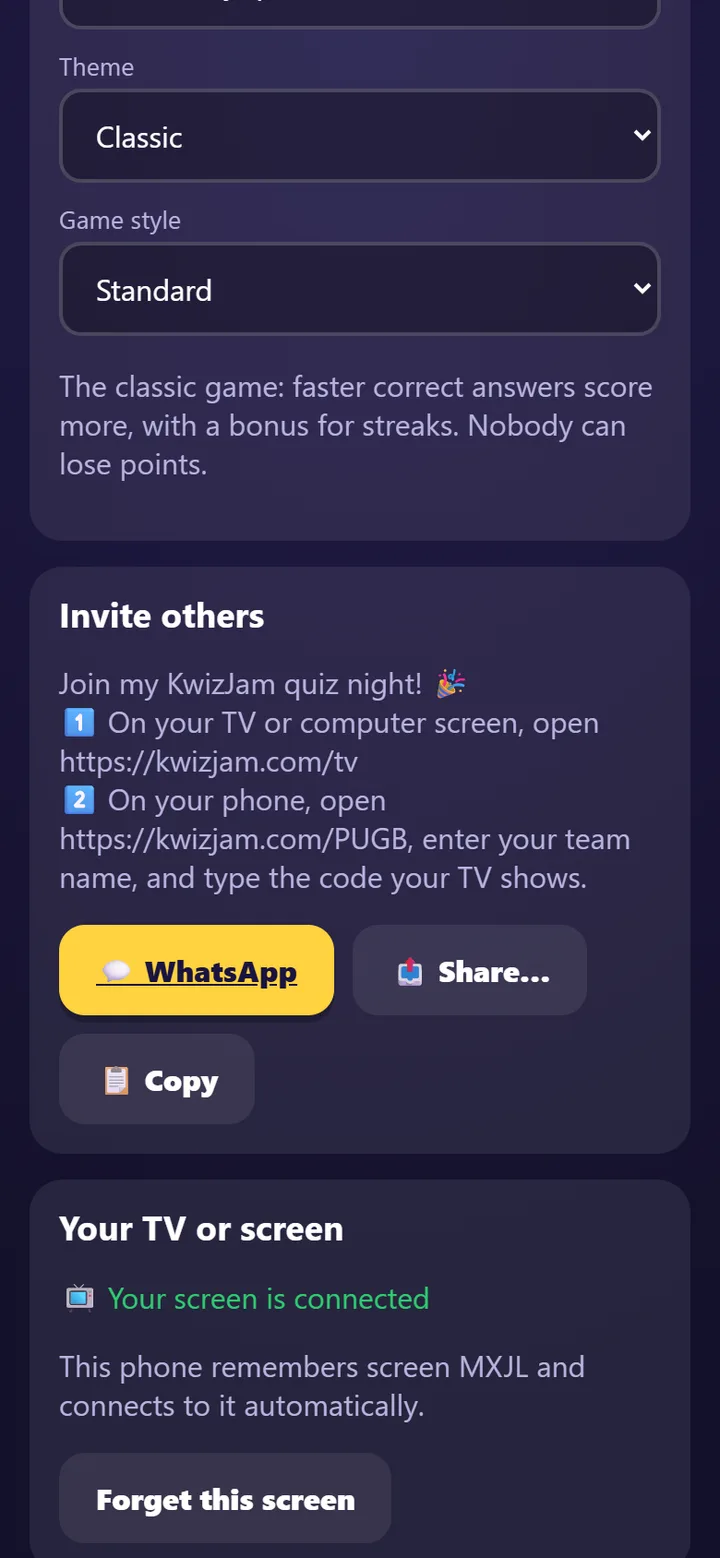
- Tap Invite others. WhatsApp (or your phone's share menu) opens with a message ready to send to the other houses. You can also copy the message.
- Open kwizjam.com/tv on your own TV or computer screen, type the code it shows into your phone under Your TV or screen, and tap Connect.
- When the other houses have joined and connected their screens, tap Start game. A game needs at least one screen connected to start.
Every other house: join and connect your screen
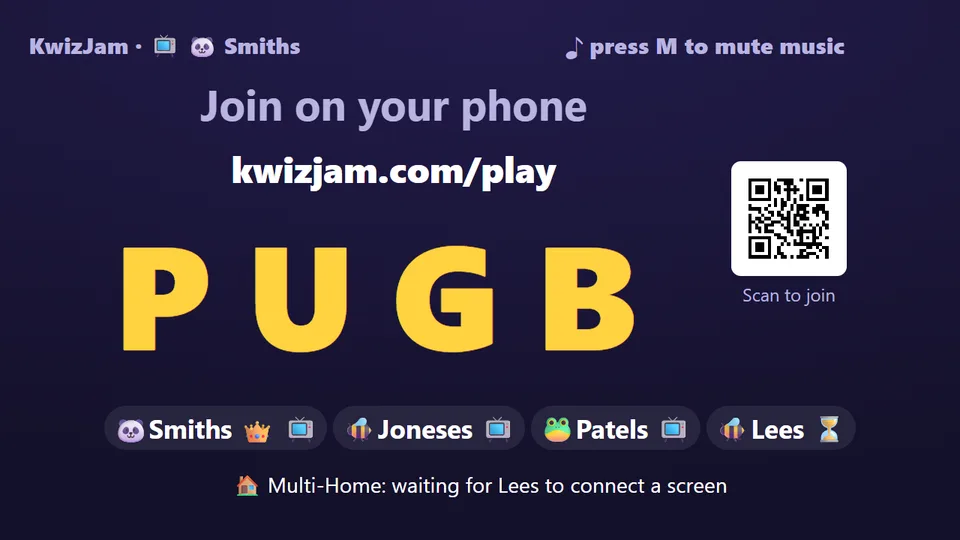
- On your TV or computer screen, open kwizjam.com/tv. It shows a short code.
- On your phone, open the link from the invite, enter your team name, and tap Join game.
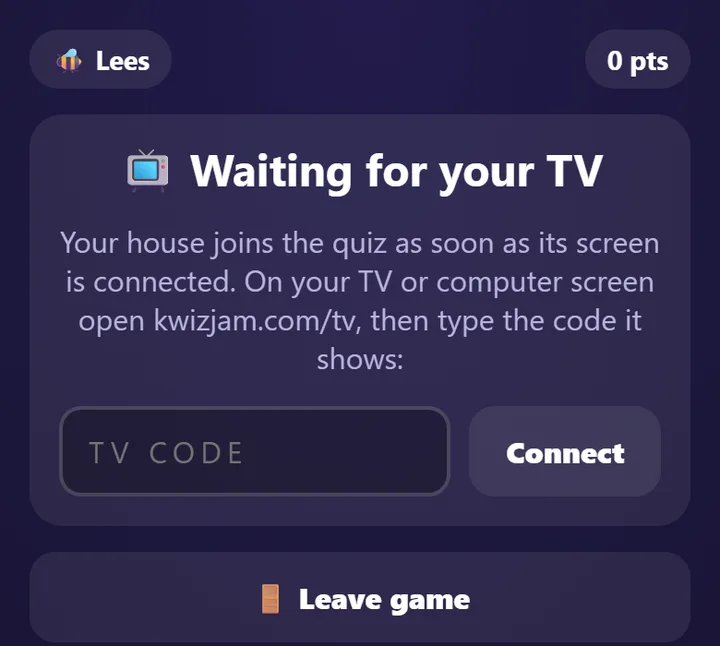
- Type the code your screen is showing into your phone under Your TV or screen, and tap Connect. You only need to do this once.
- Wait for the host to start the game.
If a house has no screen yet
The game can start as long as at least one house has a screen connected. A house with no screen simply waits: it is shown no questions, it cannot lose points, and it joins in from the next question as soon as its screen connects. In Survivor mode a house with no screen when the game starts, or one that joins later, can watch but not play, so everyone starts with the same lives. The Picture Round category needs every house's screen connected before it can start.
If a screen disconnects during the game, the house keeps playing. Picture questions, anagram puzzles and Odd One Out rounds are replaced by text questions for everyone until every screen is connected again, so nobody misses a picture or the jumbled letters.
Late arrivals, removing people and playing again
- Houses can join at any time during a game, using the same link and code. They start from zero points. A new house has no screen yet, so it waits and joins from the next question once its screen is connected.
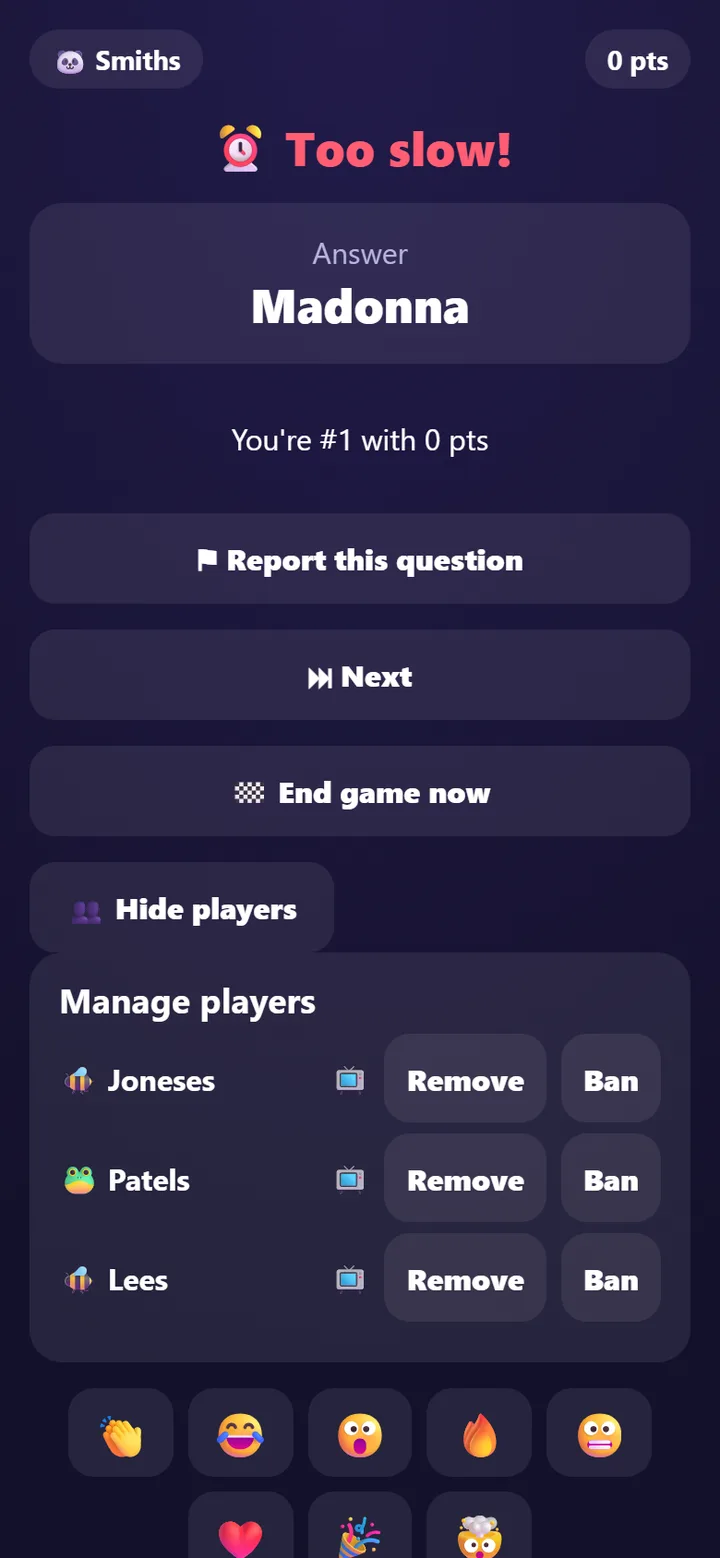
- The host can remove a house, or ban it from rejoining that game. A ban stops that phone and its network address from joining the same game again, but it is a deterrent and not a guarantee: for certainty, start a new game and share the new code. People who share a network, such as a family or an office, share an address, so the game will not block a network address that another player in the same game is using.
- Play again keeps the same code and the same houses, so the game restarts without any new invitations. A room with nobody connected is closed after about 30 minutes before the first game, and about 3 hours after a game, so the code stays valid for a few hours.
Next
Game styles (Standard, Fun mode and Survivor), scoring and answers to common problems are on the How to play page.
Frequently asked questions
Does every house need a TV?
Every house needs a screen with a web browser, but it does not have to be a TV. A laptop or computer monitor works, and so does a laptop screen-shared to the TV.
How many houses can play?
Up to 10 houses in one game.
Can more than one person in a house answer?
Each house has one phone and plays as one team. Everyone in the house can help choose the answer.
Do picture questions work?
Yes, while every house has its screen connected. If a screen drops out, picture questions are replaced by text questions until it is back. The Picture Round and Anagrams categories need every screen connected to start.
Is it free?
Yes. There are no accounts and nothing to install.